![logo - 512.png]](https://help.timeero.com/hs-fs/hubfs/logo%20-%20512.png?width=75&height=75&name=logo%20-%20512.png)


Getting Started - Set Up Xero US - Mapping Employees - Mapping Pay Items - Exporting Time
Learn How to:
- Connect Timeero to your Xero US account.
- Export time to your Xero account with a few short steps.
How Do I get started with Xero?
- Follow the steps outlined in our Xero Configuration Article to connect Timeero to Xero.
- Return to this article to complete the set-up.
Do not map Xero Employees or Pay Items yet until you set up your Xero.
How Do I Set Up Xero US for Timeero?
In order to access Timeero's time data in Xero, you must have projects and tasks set up.
- In Xero go to Projects > All Projects.
- Create a new project or select an existing one.
- Add a Task and an earning line for that Task.
*Only hours can be exported to Xero US, not mileage.
How Do I Set Up My Users for the Integration?
-
Navigate to Xero integration > Configuration > View mapping.
- Select the corresponding Timeero User for each Xero User.
- Hit Map User next to each one.
How Can I Map Xero Project Jobs and Tasks?
- Navigate to Xero integration > Configuration > View mapping.
- Map Xero Project Jobs, and Xero Project Tasks the same way you mapped users.
*If the task mapped in Timeero is not a part of the Project in Xero, export will be unsuccessful
How Do I Export Time Entries to Xero?
- Go to Reports > Xero Report.
- Choose the employee to export reports for. Once you are ready to export choose Export to Xero.
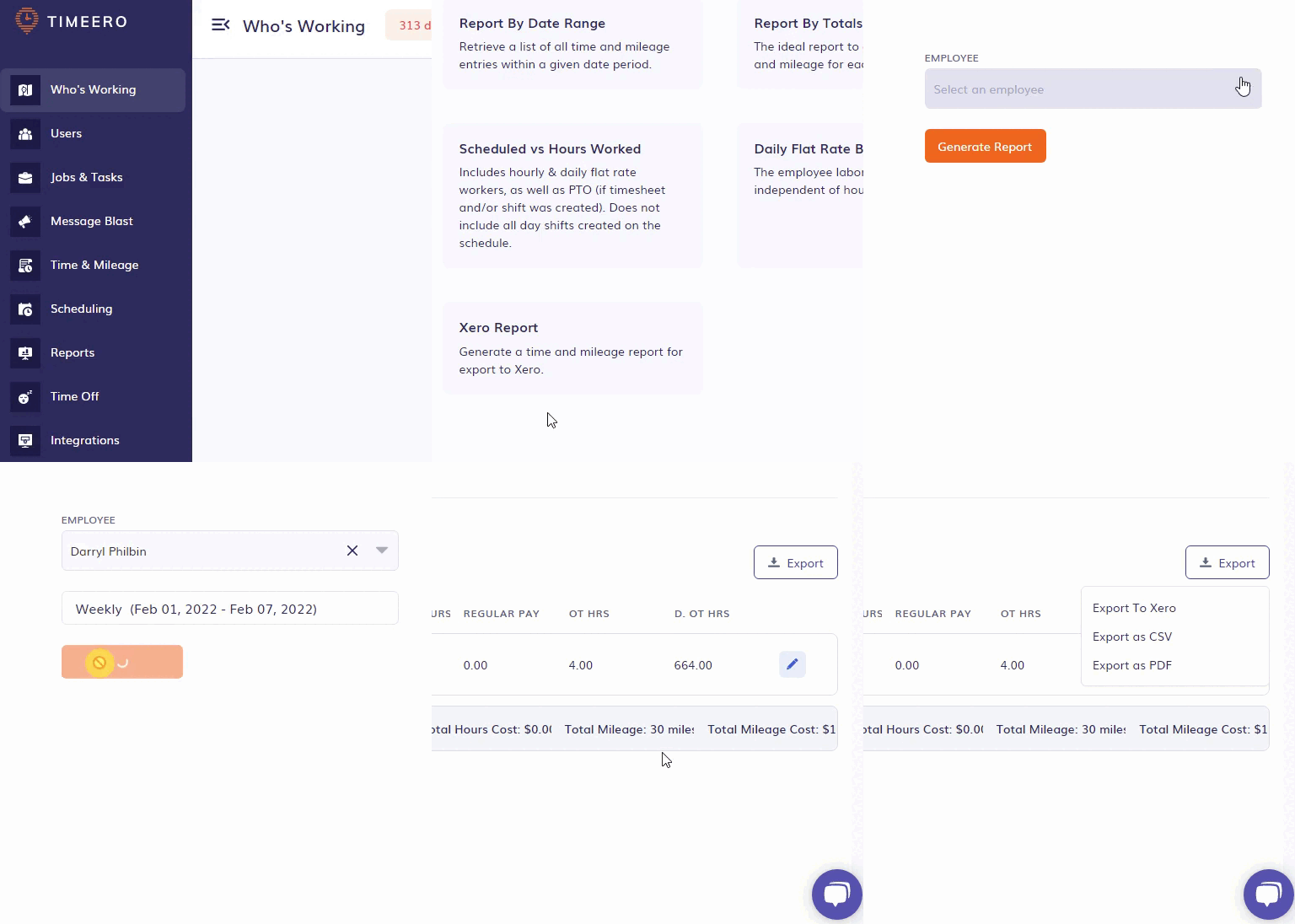
- To view the exported report in Xero go to Projects > All Projects. Click on a Project and Task you have exported to, to view the hourly breakdown of the entries.
*Overtime, double overtime and regular hours, are going to be shown as regular hours in Xero Projects > Tasks.