![logo - 512.png]](https://help.timeero.com/hs-fs/hubfs/logo%20-%20512.png?width=75&height=75&name=logo%20-%20512.png)

*Custom Fields and Signatures associated with Multi-level approvals are stored in a different place than timesheet custom fields and signatures.
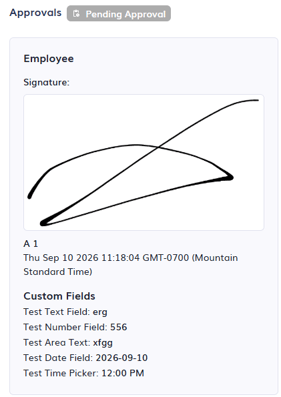
Where Can I View The Custom Fields and Signatures for Approvals?
- Go to the Time & Mileage Page.
- Select Entry Approvals.
- Click the dropdown arrow
 next to one of your users.
 - Click on the arrow icon
 on the right side of the entry to view it.
 - Custom Fields will appear underneath the Approvals section: