![logo - 512.png]](https://help.timeero.com/hs-fs/hubfs/logo%20-%20512.png?width=75&height=75&name=logo%20-%20512.png)
Learn How to:
-
Enable to Integration with QuickBooks Online in Timeero.
You must have QuickBooks Online Essentials or above to integrate with Timeero. We don't integrate with QuickBooks Advanced or Payroll Core.
How Can I Get Started?
- Log into your QuickBooks Online account.
- Log into Timeero and go to Integrations > QuickBooks Online.
- Choose Configuration and click Connect to QuickBooks Online.
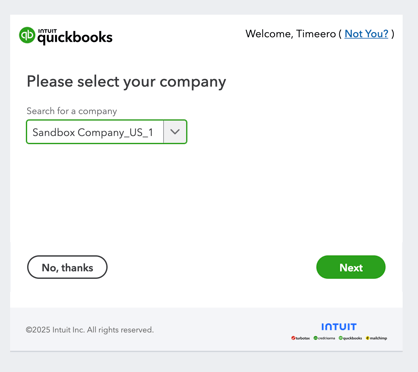
- Follow the on-screen wizard provided by QuickBooks Online.
How do I Configure the Integration Settings?
The Settings on the Configuration page of your integration will determine what features are enabled. Select the check mark next to each setting you would like to use.
- Import Customers allows you to map QuickBooks Customers to Jobs in Timeero.
- Import Sub Customers allows you to map QuickBooks Sub Customers to Jobs in Timeero.
- Import Projects allows you to map QuickBooks Projects to Jobs in Timeero.
-
Mark Time Entries sent in QuickBooks Online as Billable makes it possible for timesheets to be turned into invoices in QuickBooks Online.
-
Create Bills in QuickBooks Online from Timesheet Costs takes the duration of the employees hours worked and uses it to generate bills in QuickBooks Online.
What Are the Next Steps to Completing the Integration Set-up?
- If you want to use Payroll Items use our Payroll Items Article to enable that feature.
- Use our Mapping Data in QuickBooks Online Article to complete the integration set-up.