![logo - 512.png]](https://help.timeero.com/hs-fs/hubfs/logo%20-%20512.png?width=75&height=75&name=logo%20-%20512.png)
How do I Cancel my Timeero Subscription?
You may cancel anytime:
-
Log into the web portal.
-
Open the Account & Billing menu by selecting your initials or profile picture on the top right hand side of your screen and selecting Account & Billing.
-
Once there, simply click on Cancel Plan.
-
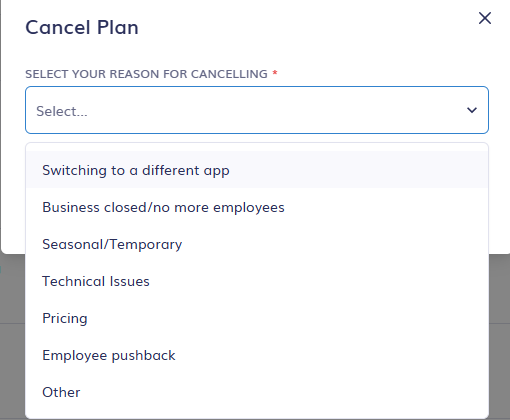
You will be prompted to select your reason for cancelling.
-
After you select your reason, you may Start the Cancellation Process.
You have to be logged in as an admin to cancel a subscription.