![logo - 512.png]](https://help.timeero.com/hs-fs/hubfs/logo%20-%20512.png?width=75&height=75&name=logo%20-%20512.png)
Learn How to:
-
Export timesheets from Timeero to Paycor either automatically when users clock out (if automatic export is enabled) or manually by an admin.
How Do I Turn on Exporting Specific Timesheets to Paycor From Timeero?
- Navigate to Company Settings → Integration Settings → Paycor.
- Configure:
- Active/Inactive: Status of the integration(only for timesheet export)
- Groups: Choose which users will have their timesheets exported
- Sync Type: Manual or Automatic
What Does the Automatic Export do?
- When automatic export is enabled, timesheets are sent to Paycor as soon as the user clocks out.
How Do I Use the Manual Export Option?
If you choose the Manual sync type in your Integration Settings, you will need to export the timesheets manually.
- Admins go to Reports → Export Timesheets Report in Timeero.
- Select the specific timesheet(s) to export.
- Click Sync → Submit.
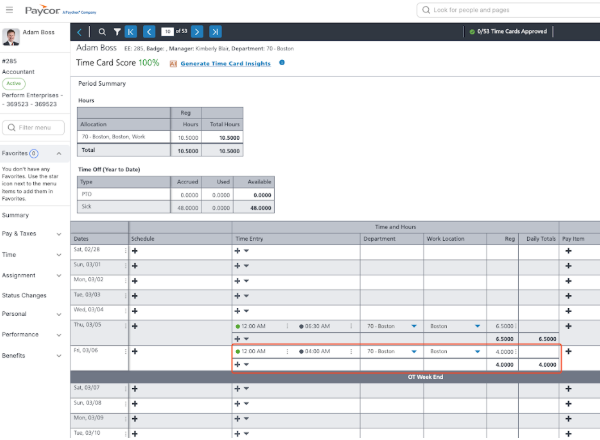
Where Can I find Exported Timesheets in Paycor?